01
Open the analysis browser
Install Google Chrome if you don’t already have it, then launch the analysis browser from apispy. Sign in and use the website in a dedicated browser profile.
API DISCOVERY, ON YOUR DESKTOP
Turn browser traffic into API documentation. Discover operations, reconstruct schemas, and export OpenAPI, GraphQL and AsyncAPI as you browse.
One prerequisite: Google Chrome installed on your machine. See requirements
No system proxy. No root certificate. Captured on your machine.
01 / THE WORKFLOW
Start with the application you need to understand. Let the actual requests tell you how its API works.
Install Google Chrome if you don’t already have it, then launch the analysis browser from apispy. Sign in and use the website in a dedicated browser profile.
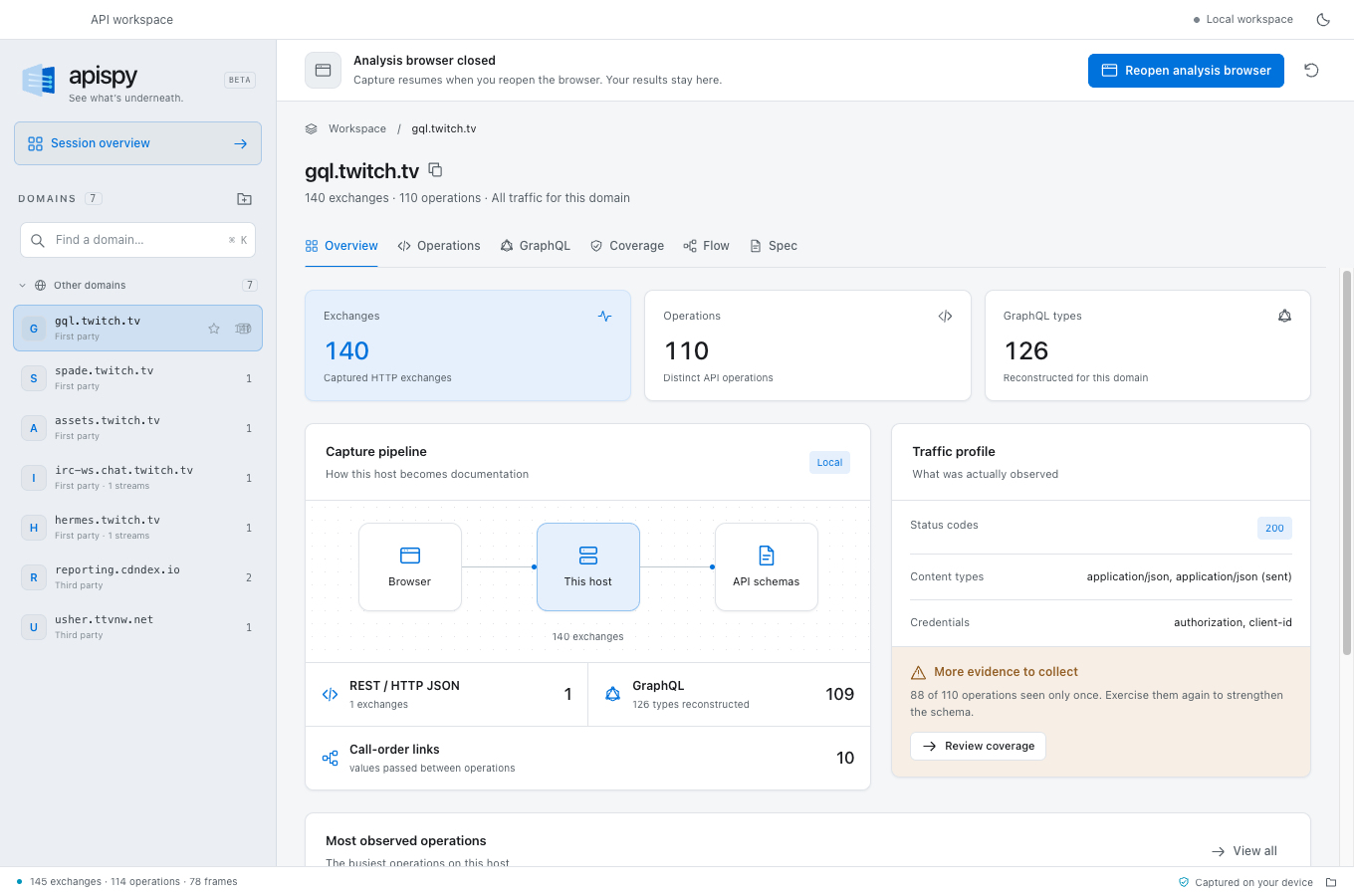
Search, navigate, submit a form. apispy observes requests and streams, and organizes what it finds by domain.
Explore operations and inferred schemas. Check coverage, then export documentation to use in your own tools.
02 / FROM TRAFFIC TO UNDERSTANDING
An API is more than its URLs. See the operations, data shapes and dependencies that make it work.
GraphQL and JSON-RPC often put everything behind a single URL. apispy separates calls by operation and unpacks batched requests, so each one gets its own documentation.
Explore GraphQL reconstruction/graphql× 3GetCurrentUserquerySearchProjectsqueryUpdateProjectmutationTake your findings beyond the network panel. Export HTTP operations as OpenAPI 3.1 or a Postman collection, GraphQL types as SDL, and WebSocket or server-sent event channels as AsyncAPI 3.
Explore OpenAPI generationopenapi.jsonOpenAPI 3.1schema.graphqlGraphQL SDLasyncapi.jsonAsyncAPI 3.0Coverage surfaces operations seen once, fields that stayed null and responses without a body. Call-order links show when a value from one response appears in a later request.
Explore API coverage and call dependencies03 / YOUR WORKSPACE, YOUR MACHINE
The capture and schema inference run locally. Your session is saved on your machine and resumes when you reopen the app.
apispy names how an API authenticates. It reads header names and the shape of a token, never the credential. Your documentation carries a variable such as {{BEARER_TOKEN}} where the real value was.
 apispyCapture & inference
FIELD NOTES
Practical guides to what you can discover, how it works, and what the output tells you.
USE CASE / API REVERSE ENGINEERING
Discover the requests behind a real workflow, follow the data between calls and build documentation from what you observe.
Read the reverse engineering guideFrom observed requests to an OpenAPI 3.1 document you can inspect and export.
Read the guideDiscover types and operations, including traffic that uses persisted queries.
Read the guideTurn observed stream messages into AsyncAPI channels and message schemas.
Read the guideQUESTIONS & ANSWERS
apispy is a desktop application for discovering and documenting APIs from browser traffic. It infers OpenAPI 3.1 documents, reconstructs GraphQL schemas, and describes WebSocket and server-sent event channels with AsyncAPI 3.
Google Chrome is the only additional application you need to install to use apispy. apispy launches your installed Chrome in a dedicated analysis profile. No browser extension, system proxy or root certificate is required.
No. apispy observes traffic inside a dedicated Chrome analysis browser through the Chrome DevTools Protocol. Chrome handles HTTPS, so there is no system proxy to configure and no root certificate to install. Google Chrome must be installed.
Yes. Use a website in the analysis browser to discover the API operations behind its interface, infer request and response schemas, and identify observed links between calls. apispy exports what it learns as OpenAPI, GraphQL SDL or AsyncAPI. It documents the behavior you exercise, not unobserved endpoints or server-side implementation.
It documents what you exercise in the analysis browser. Unvisited workflows, unseen fields and unobserved error responses cannot be inferred. Use the Coverage view to identify where more observations would help.
Capture and inference run on your machine, and saved sessions stay there. apispy does not automatically upload captures. Exports may contain example values, so review them before sharing.
Windows, macOS and Linux, each in x64 and ARM64. On macOS, these correspond to Intel and Apple silicon. Linux is packaged as DEB, RPM and AppImage for both architectures. The download page lists every build.
apispy is a proprietary application. The current version is free to download and use. A paid license is planned; pricing and license terms have not yet been announced.
LESS GUESSWORK. MORE UNDERSTANDING.
Capture the traffic. Understand the schema. Keep the results.